
Skill suggestions
Chat proposes one of your skills when it fits the question — apply it with one click.
When a question would have been a good fit for one of your skills, chat says so: a proposal appears under the answer, and accepting it re-runs the request with the skill applied. Nothing is applied without your say-so.
Ask as usual
No setup — write your message the way you always do. When an enabled skill matches the question, the answer arrives with a proposal card underneath it.
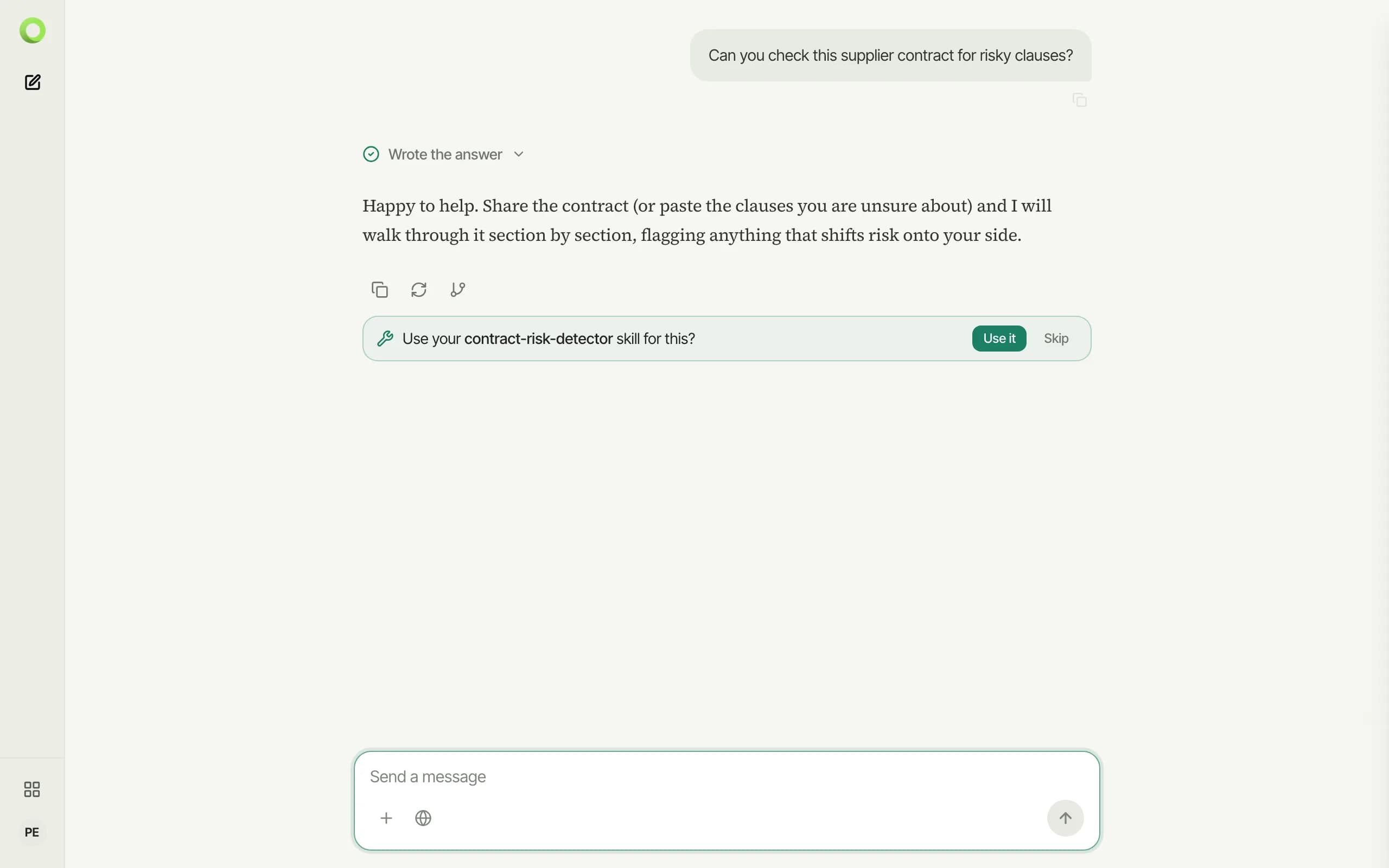
Accept it — or skip it
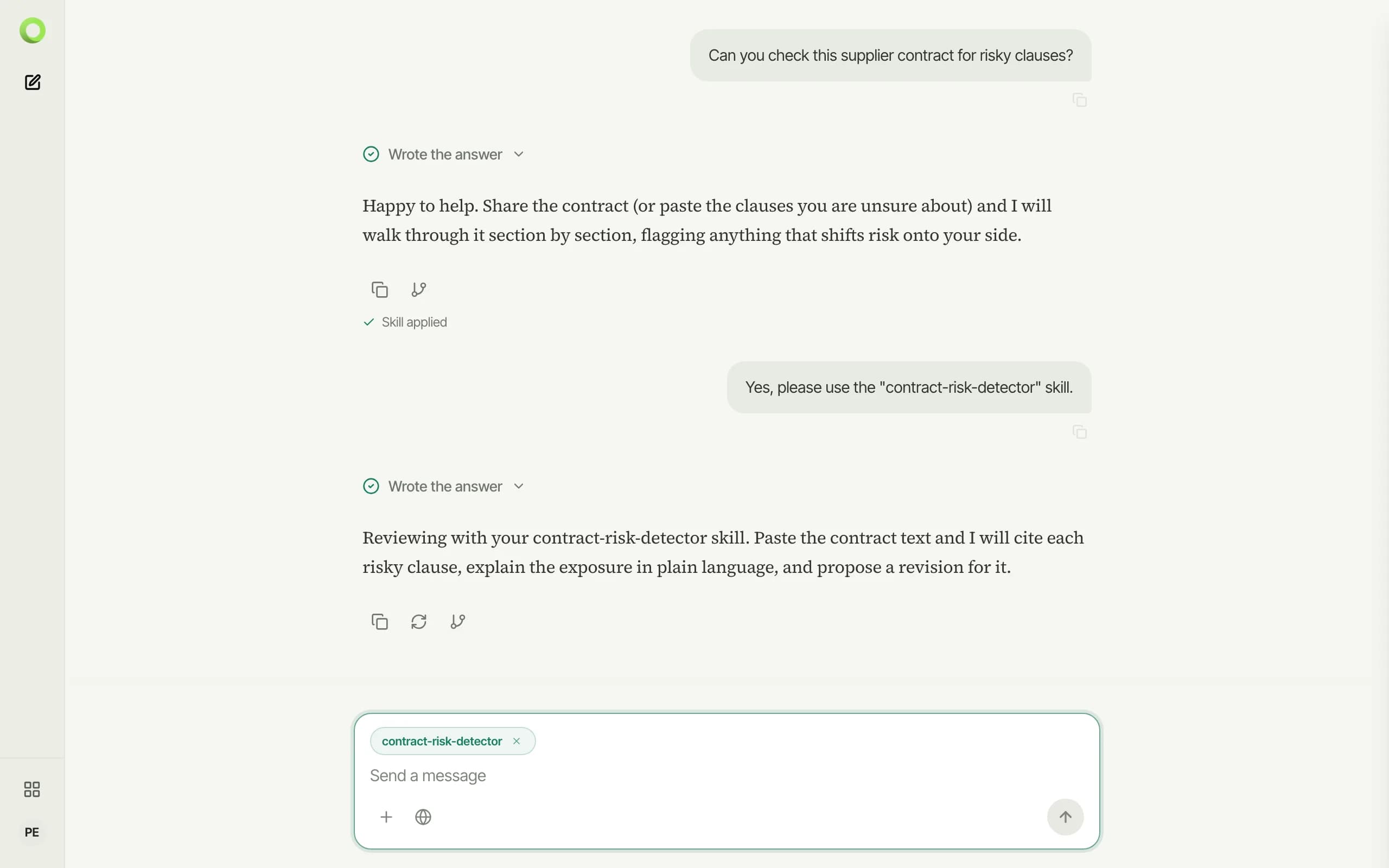
Use it applies the skill and sends a follow-up with it active; the skill stays selected in the composer for the rest of the conversation, where you can remove it at any time. Skip dismisses the proposal and leaves the conversation untouched.
Suggestions only ever propose skills that exist in your library and are enabled — managing that list is covered in Creating a skill.