
Creating a skill
Build a skill in the editor — name it, write the instructions, and check them against the character budget.
Skills live in their own manager: a library of everything you can apply in a chat, and a two-pane editor for writing one. This guide walks through creating a skill from scratch. For what a skill is and how it behaves in chat, see Skills.
Open your skills library
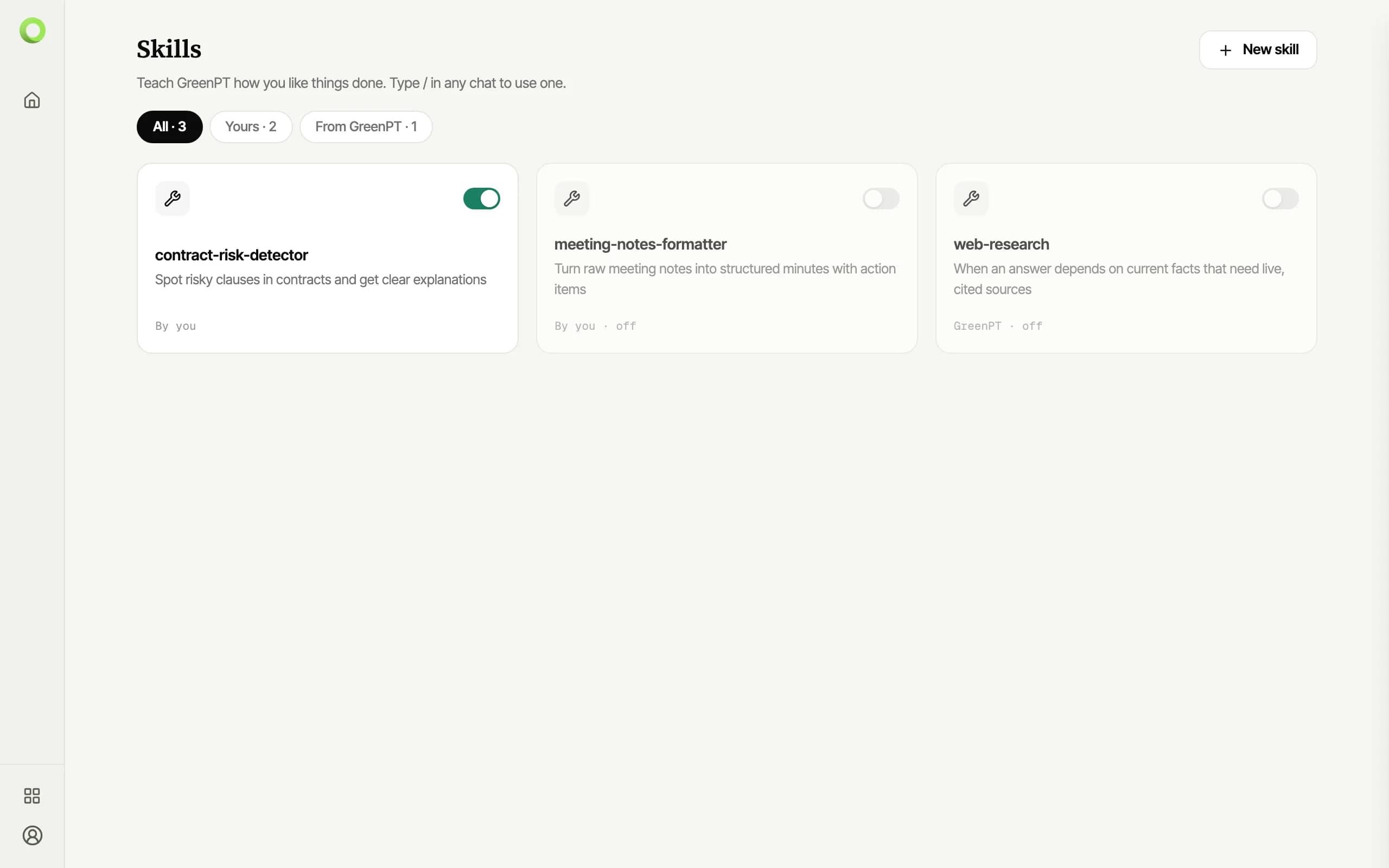
Choose Skills in the sidebar. The library combines the skills you wrote with the ones GreenPT provides; the switch on each card enables or disables it without deleting anything.
Name it and describe when it applies
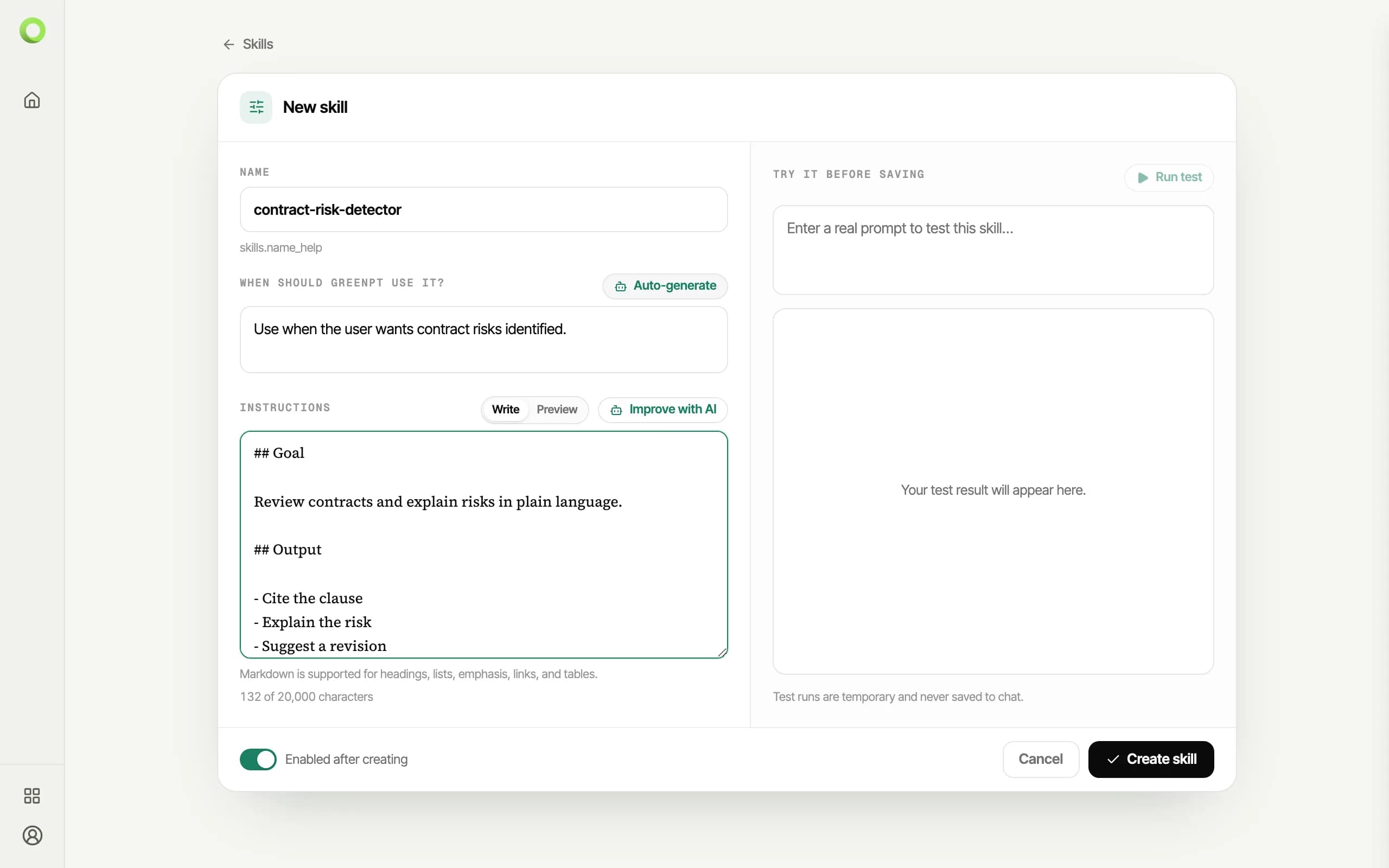
Click New skill. The name doubles as how a chat request addresses the skill, so it is written like a handle — lowercase, hyphens instead of spaces. Once a name is in place, Auto-generate drafts the "when should GreenPT use it?" description for you.
Write the instructions within the budget
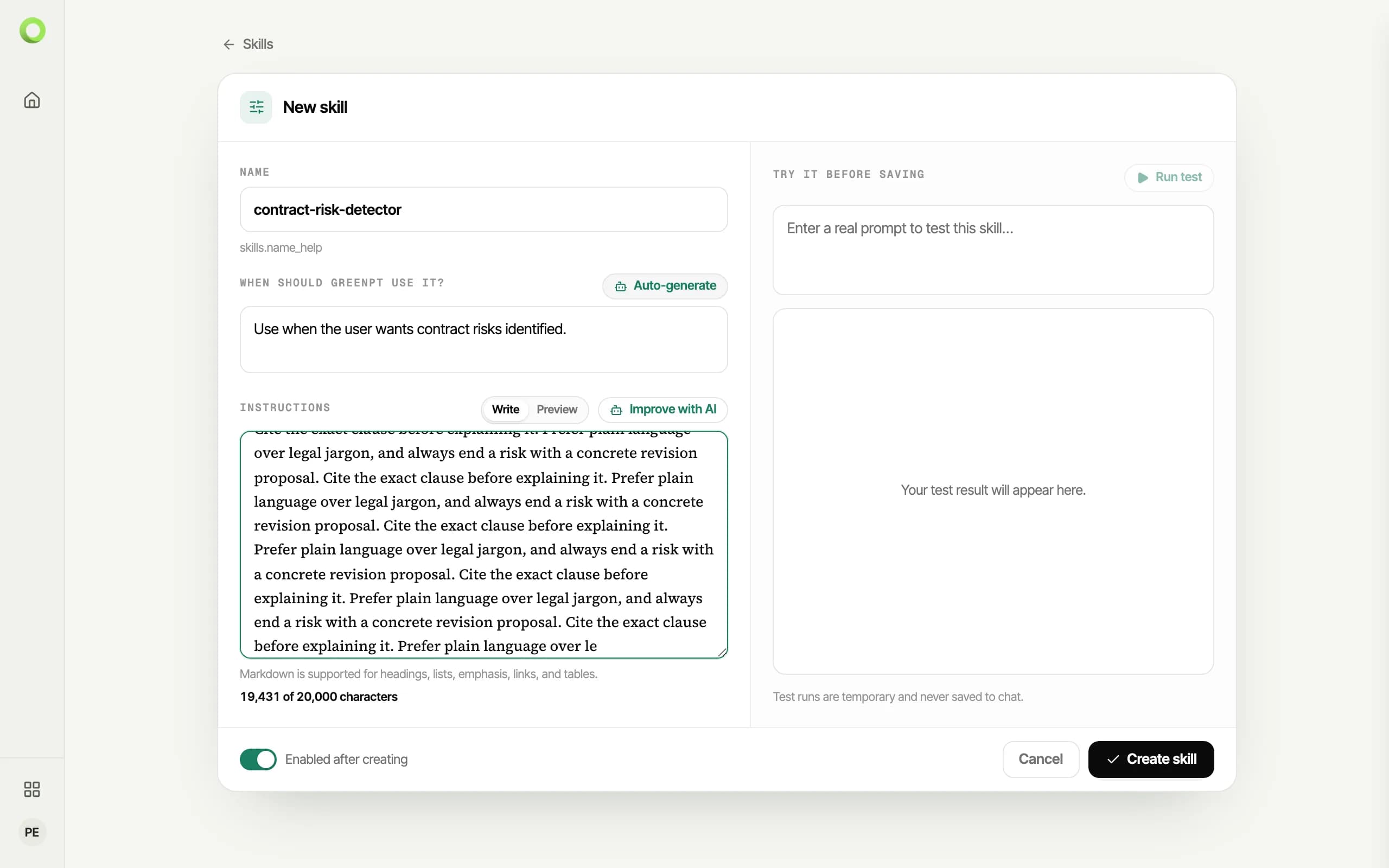
The instructions are the skill. A counter under the editor tracks them against the 20,000-character budget while you type; going over is rejected at save time with the same numbers the counter shows.
Preview and test before relying on it
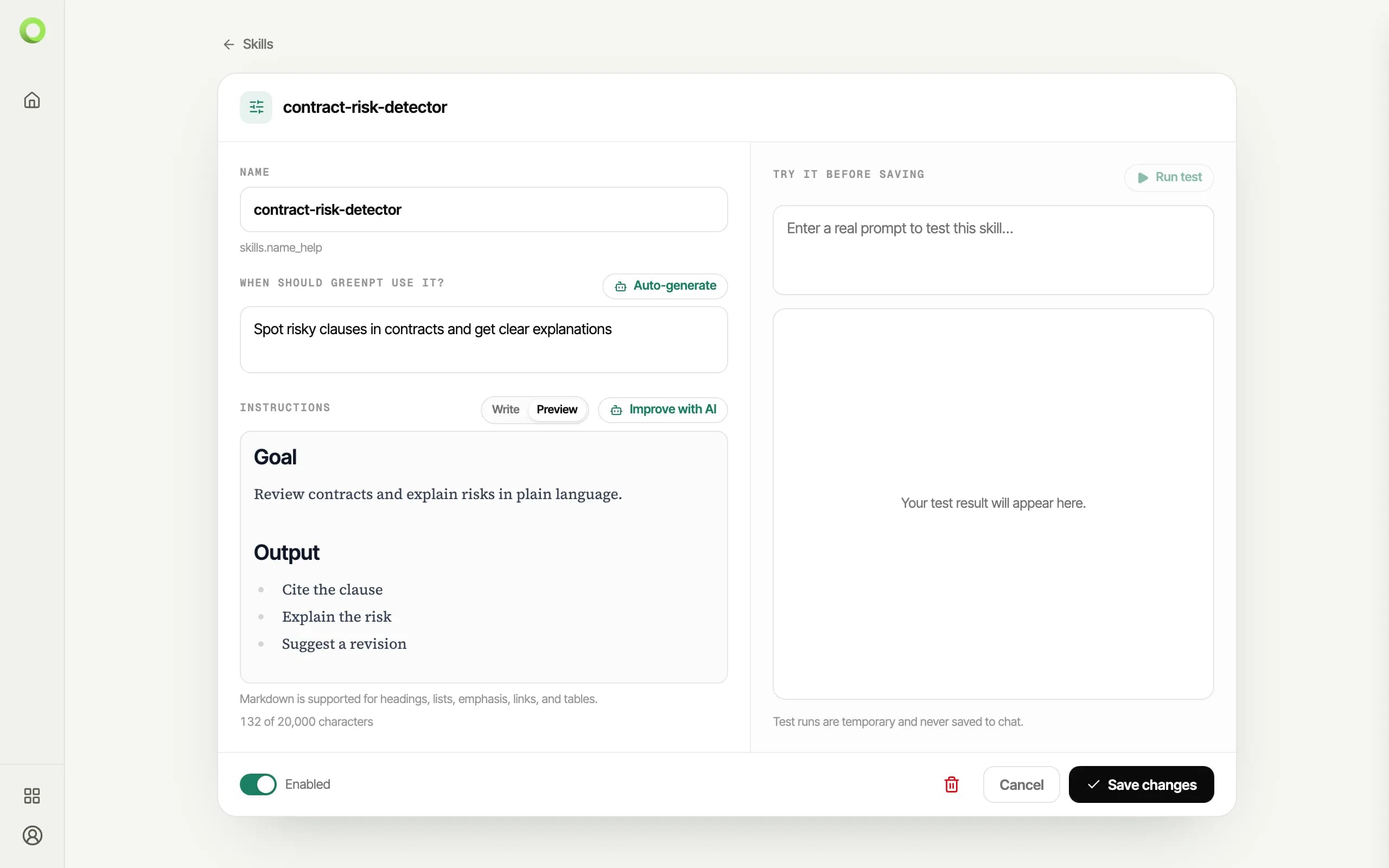
A skill's detail view renders the instructions as the model receives them, and the test panel runs a sample question with the skill applied so you can check the effect before using it in a real conversation.
API consumers can apply the same skills on chat completions directly — see Skills on the API.